








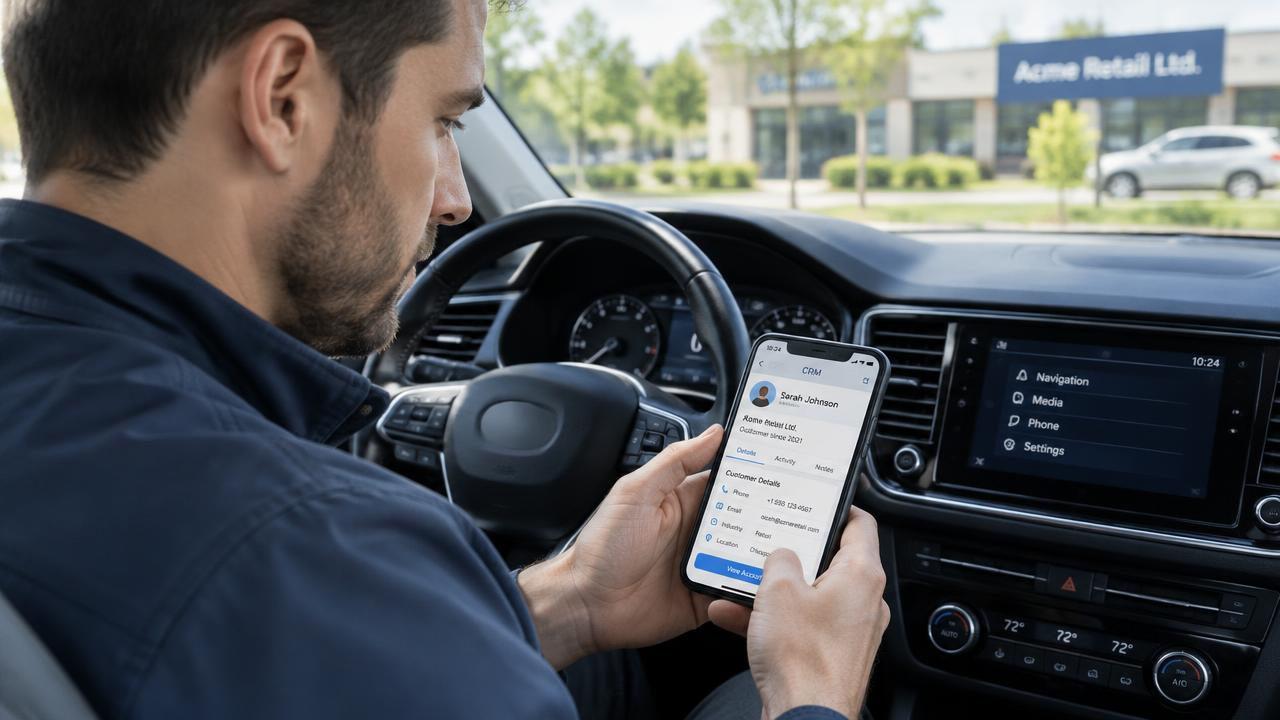
Picture a rep leaving a customer’s loading dock at 3:40 in the afternoon. Her next visit is across town, she has a pricing question from the buyer she just met, and the notes from that meeting live in her head. What happens in the next ten minutes decides whether your CRM software holds the truth about that account or whether it gets a vague summary on Friday night.
Field sales is a different job from inside sales, and the software has to fit it. This guide is built around the working day of a rep who is mostly away from a desk: before the visit, during it, and after. We then cover offline use, device policy, cost, and how to get a distributed team to actually use the app.
Key Takeaways
- Judge a mobile CRM on the three minutes after a visit, not on the feature list.
- Offline mode is a requirement for many territories, so test it in real dead zones.
- Voice capture and quick-log templates matter more than full-record editing on a phone.
- Lost or stolen devices are your biggest cloud security exposure; plan for remote wipe.
- Adoption improves when the app removes work, such as expense or mileage entry, rather than adding it.
The Field Rep’s Day, Hour by Hour
Before the visit: five minutes of preparation
The best mobile experiences answer one question quickly: what do I need to know before I walk in? That means the last three interactions, open opportunities, unresolved service cases, and who attends. If the rep needs to open five screens to find them, the rep will skip the preparation and walk in cold.
Look for an account snapshot view designed for small screens. It should surface recent orders, outstanding quotes, and any support tickets. Some products also generate a briefing from the record, which can help, as long as the rep can see the source behind each claim.
During the visit: stay out of the way
Nobody wants to type into a phone while a buyer talks. Tools that matter here are a quick lookup for pricing or inventory, a way to share documents, and the ability to capture a signature or photo. Photos are underrated. For equipment, building supplies, or merchandising, a picture of a shelf or a job site is often the best note a rep can take.
After the visit: the three-minute window
Memory fades quickly. If logging a visit takes longer than a few minutes, reps defer it, and deferred notes turn into thin notes. This is the moment to evaluate hardest. Time a real rep completing a full log: outcome, next step, follow-up date, and one sentence of context.
If a rep cannot finish a visit report while the car is warming up, the report will not be written until Friday.
Features That Matter Most for Field Work
Offline access that actually syncs well
Rural routes, basements, hospitals, and manufacturing plants all share a trait: poor signal. An app that shows a spinner in these places is useless. True offline mode stores a defined slice of data on the device, lets the rep create and edit records, and syncs when connectivity returns. The details matter, so ask:
- Which objects are available offline, and can the admin choose?
- How are conflicts handled if two people edit the same record?
- How large is the local data set, and does it slow older phones?
- Is the offline cache encrypted?
Route planning and territory maps
Map views let reps cluster visits geographically and spot nearby prospects. Some CRM products include routing; others integrate with dedicated mapping tools. For teams driving many miles, even modest route improvements reduce fuel and time, though the size of the gain depends heavily on territory density.
Voice notes and dictation
Speaking is faster than thumb typing. Voice-to-text can turn a thirty-second memo into a structured note. Check accuracy with industry vocabulary: product names, part numbers, and place names often trip up transcription. Some vendors now add AI summaries, which should be reviewed before saving.
Check-in and activity capture
Geotagged check-ins record that a visit occurred. They help managers understand coverage, but they can feel like surveillance. Be transparent about what is collected and why, and consider limiting tracking to working hours.
AD SLOT
Native App, Mobile Web, or Both?
Vendors deliver mobile access in a few ways. A native app is installed on the device and generally offers better offline mode, camera access, and push notifications. A responsive web version needs no installation but depends on the connection. A few platforms let you build custom mobile layouts for particular roles.
| Option | Strengths | Limitations | Best for |
|---|---|---|---|
| Native app | Offline mode, camera, device features | Updates and device management | Reps in low-signal territories |
| Mobile web | No install, quick rollout | Weak offline support | Occasional users, managers |
| Custom mobile layouts | Role-specific screens | Admin effort to design | Complex products, regulated workflows |
Security When the Office Is a Parking Lot
Customer data on a phone leaves the building every day. Cloud security for mobile has two parts: how the vendor protects data in transit and in its data centers, and how you protect the device itself.
Device controls to require
- Screen lock with biometrics or a strong passcode.
- Single sign-on and multi-factor authentication for the app.
- Remote wipe of CRM data, ideally without wiping personal photos.
- Encrypted local storage.
- Session timeouts for inactive devices.
Personal phones versus company devices
Bring-your-own-device policies save money but complicate control. A mobile application management layer can separate work data from personal data on a personal phone. Company-owned devices are easier to govern but cost more and add logistics. Enterprise teams in regulated industries often choose managed devices; smaller organizations frequently choose a BYOD policy with app-level controls.
Whichever you choose, write down what happens when a rep leaves. Access should be removed on the last day, and local data should be wiped from the app. Test this process before you need it.
Integrations That Cut Double Entry
Field reps often juggle the CRM, a quoting tool, an inventory system, and expense software. Each handoff is a chance for data to be retyped or forgotten. Prioritize integrations with:
- Email and calendar, so meetings and messages log themselves.
- Quoting and ordering, so a price can be generated on site.
- Mileage and expense tools, which give reps a personal reason to log visits.
- Mapping and routing, to turn account lists into daily plans.
The integration with the most effect on adoption is often the least glamorous: calendar sync. If the day’s meetings appear in the app automatically, with prompts to log outcomes, the habit forms almost by itself.
AD SLOT
Pricing and the ROI of Going Mobile
Mobile access is bundled into most CRM software plans, but certain features may sit in higher tiers: offline mode, custom mobile layouts, device management, or advanced mapping. Pricing changes frequently, so confirm with each vendor which mobile capabilities are in the plan you intend to buy, and whether field users need a different license type than office users.
Where the return shows up
- Time: less evening data entry and fewer end-of-week catch-up sessions.
- Speed: quotes and follow-ups sent while the buyer’s attention is fresh.
- Data quality: notes recorded near the time of the visit are typically richer.
- Management visibility: forecasts built from current activity rather than recollection.
To estimate ROI, measure the current lag between a visit and its record, the proportion of visits that are logged at all, and the hours reps spend on admin. After a pilot, compare. Treat the result as an estimate and discount it, because field conditions vary by season and territory.
Getting Reps to Use It
Field teams are experienced, independent, and often skeptical of tools that benefit managers more than them. A few tactics work consistently:
- Start with reps’ pain. Find the task they dislike most, such as expense reports or quote requests, and fix that first.
- Trim the mobile forms. Show only fields needed in the field. Let the office handle the rest.
- Train in the vehicle, not the conference room. Ride-alongs reveal real problems faster than slide decks.
- Name a field champion. A respected peer who explains shortcuts has more influence than a memo.
- Close the loop. When a rep logs a request, show that someone acted on it.
A Pilot Checklist
- Run three reps through a full week in different territories, including one with weak signal.
- Time the post-visit logging flow with and without voice input.
- Test offline edits, then reconnect and check for conflicts.
- Report a lost phone and confirm access is revoked.
- Ask each rep to rate effort on a simple scale and explain low scores.
Frequently Asked Questions
Does a field team need a separate CRM from the office team?
Almost never. One system with a role-based mobile view is better, because it keeps records shared. Differences should be in layout and permissions, not in the underlying database.
How can I tell whether offline mode is any good?
Put a phone in airplane mode, create a note, edit an opportunity, and take a photo. Then reconnect and check that every change synced correctly. Repeat with two users editing one record.
Is location tracking necessary?
No. Check-ins can be useful for coverage analysis, but they are optional. Ask legal counsel about local employee privacy rules, and tell reps clearly what is gathered.
What if reps use personal devices?
Require app-level protections such as multi-factor authentication, encryption, and selective wipe. Document the policy and have reps acknowledge it in writing.
Will a mobile CRM work on tablets?
Many do, and tablets suit product demos or complex quoting. Check that the layout adapts and that offline mode is supported on the tablet version.
Conclusion
A field rep’s CRM lives or dies by small moments: a quick lookup in a parking lot, a voice memo after a handshake, a quote sent before the buyer returns to email. Evaluate software at that scale. Test it in bad signal, insist on device controls, and measure time saved honestly. When the app makes the rep’s day easier, data quality takes care of itself, and managers finally see the field as it is.