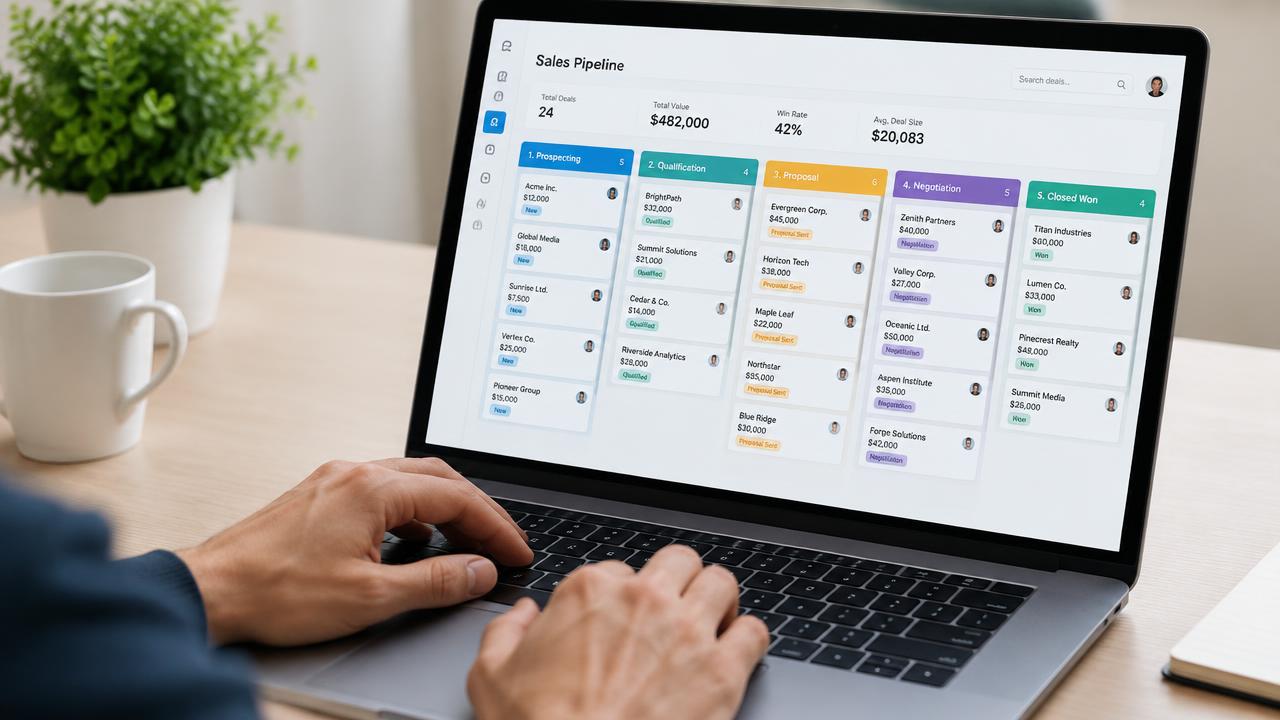










Every CRM vendor now says it has AI. Open any product page and you will find a copilot, a predictive score, or an “intelligent” forecast. Some of these features save real hours. Others are a search box with a new name. If you are responsible for choosing or governing CRM software, the hard part is telling the two apart before the contract is signed.
This guide takes a skeptical, operational view. We will look at three families of AI capability: predictive scoring, generative copilots, and forecasting. For each we cover what the feature needs in order to work, where it tends to fail, and how to test it during a trial. We close with governance, cost, and a scorecard you can adapt.
Key Takeaways
- Predictive models need history. If you have few closed deals, rules-based scoring will often beat a model.
- Copilots save the most time on drafting, summarizing, and data entry, not on strategy.
- AI forecasting improves on gut feel mainly when stage definitions and close dates are disciplined.
- Ask where your data goes. Cloud security and model-training terms matter as much as features.
- Run a measured pilot with a control group before you pay for an enterprise AI tier.
Start With the Data, Not the Demo
Demos use clean sample records. Your CRM does not. Duplicate accounts, free-text industry fields, contacts with no activity history, and deals that sit open for a year are normal. AI features amplify whatever they find, so the first question is never “how smart is the model?” It is “what will the model read?”
A simple audit takes an afternoon. Export your opportunities and check four things: how many closed-won and closed-lost deals you have in the last two to three years, how many of those have a recorded source, how many have contacts attached, and how many have activity logged. If large portions are blank, an AI score will be built on thin evidence. You will still get a number on the screen. It just will not mean much.
Three signs your data is ready
- Won and lost reasons are captured with a pick list rather than free text.
- Email and calendar sync is turned on for most reps, so activity is recorded without manual effort.
- Account and contact duplicates are merged on a regular schedule.
Predictive Lead Scoring
Predictive scoring looks at past leads and the outcomes they produced, then estimates how similar new leads will behave. Inputs often include company size, industry, web visits, email engagement, job title, and source. The output is a rank or a probability that helps reps decide whom to call first.
Where it helps
Scoring earns its keep when lead volume exceeds what the team can follow up on. If five reps receive a few hundred inbound leads a week, ordering the queue matters. A good model surfaces the buyer who has visited the pricing page three times and matches the profile of your best customers, rather than the student who downloaded an ebook.
Where it fails
Models trained on small samples learn quirks. If your last twenty wins happened to come from one trade show, the model may overvalue that source. Models also inherit bias from past behavior: if reps ignored a segment, few deals closed there, and the model learns to rank that segment low. That becomes a self-fulfilling loop.
Another common failure is opacity. A score of 82 is not actionable unless a rep can see why. Look for products that show the top contributing factors, such as “visited pricing twice this week” or “role matches past buyers.”
Predictive versus rules-based scoring
| Factor | Rules-based scoring | Predictive scoring |
|---|---|---|
| Data needed | Little; built from sales judgment | Substantial closed-deal history |
| Transparency | High; every point is visible | Varies by vendor |
| Maintenance | Manual updates each quarter | Retrains automatically, needs monitoring |
| Best fit | Smaller teams, new products | High lead volume, long history |
| Typical risk | Stale assumptions | Hidden bias, overfitting |
Many teams do well with a hybrid: simple rules for fit, a model for engagement, and a human review of the top and bottom of the list each month.
AD SLOT
Copilots and Generative Assistants
Copilots use large language models to read CRM records and produce text or answers. The most common uses are meeting summaries, email drafts, account briefings, call note cleanup, and natural-language questions such as “which deals closing this quarter have no executive contact?”
The time savings are in the boring work
Reps in many B2B teams report spending a large share of their week on administration, though estimates vary by company. A copilot that turns a recorded call into a structured note, updates next steps, and drafts a follow-up removes friction that reps genuinely dislike. Because the task is repetitive and the output is easy to check, this is where generative AI is most dependable.
The risks are in confident errors
A language model can produce a fluent summary that quietly gets a detail wrong, such as a renewal date, a discount, or a competitor name. In a CRM that error becomes a record other people trust. Build a habit of review: reps should skim and approve AI-written notes before they are saved, at least during the first months.
Treat a copilot like a capable new hire on day one. It is fast and eager, and it still needs its work checked.
Questions to ask about a copilot
- Does it read only records the user is already permitted to see?
- Can admins turn off specific features by team or region?
- Are prompts and outputs logged for audit?
- Is customer data used to train models shared with other customers?
- What happens to the data if you cancel?
AI Forecasting
Traditional forecasting rolls up rep-submitted amounts weighted by stage. AI forecasting adds signals: deal age, activity trends, stakeholder coverage, and how similar deals ended. It then offers a projected outcome that managers can compare with the rep’s call.
What it does well
It is good at flagging disagreement. If a rep marks a deal as commit while there has been no customer email in three weeks, the model highlights the mismatch. That conversation is valuable even if the model is imperfect. It also helps with pattern detection across a large pipeline, where a manager cannot read every deal.
What it cannot fix
If stage definitions are fuzzy or close dates are routinely pushed, no model will rescue the forecast. Teams that benefit most have clear exit criteria for each stage, and they clean out stale opportunities before each cycle. Expect a model to need a few quarters of consistent data before its accuracy beats your best manager’s judgment, and expect that benefit to vary widely.
Reading a forecast with healthy skepticism
Ask vendors for accuracy measured on customers like you, not on aggregate marketing claims. Request the method: what is being compared, over what period, and against what baseline. If a vendor will not explain, assume the headline number is best-case.
Cloud Security and Data Governance for AI Features
AI adds new data flows. A copilot may send record content to a third-party model provider, and that matters for cloud security reviews. Before enabling anything, ask for the vendor’s documentation on data processing, retention, and subprocessors. Enterprise buyers should confirm whether the vendor offers zero-retention arrangements with model providers and whether regional data residency is respected for AI requests.
Internally, set a short policy: which fields are allowed in prompts, whether sensitive notes such as health or financial details are excluded, and who approves new AI features. Your legal and security teams will thank you for involving them early rather than after a rollout.
AD SLOT
What AI Costs and How to Think About ROI
Pricing for AI in CRM software varies. Some vendors bundle basic features into standard plans. Others sell premium tiers, per-user add-ons, or usage-based credits for generative actions. Because these models change often, check current vendor pricing pages and ask for a written quote that lists what is included and what is metered.
A simple pilot design
- Pick one use case. For instance, call summaries or lead prioritization.
- Define a baseline. Measure current time spent per task or current conversion from lead to meeting.
- Split the team. Give the feature to half of a comparable group.
- Run it for at least one full sales cycle where practical, or a shorter proxy metric if cycles are long.
- Compare results and costs. Include admin time, training, and license fees.
The ROI case for a copilot is often hours returned per rep, multiplied by loaded labor cost, minus license cost. The case for scoring is usually improved conversion or faster response. Be conservative: count only the hours that reps actually redirected to selling.
A Buyer’s Scorecard
| Area | What to test | Red flag |
|---|---|---|
| Explainability | Can a rep see why a lead scored high? | Score appears with no reasons |
| Accuracy | Compare AI notes with the call recording | Invented details or wrong dates |
| Permissions | Test with a restricted user | Copilot reveals hidden records |
| Controls | Disable by team, region, or field | All-or-nothing switch |
| Contract | Read data-use and training terms | Vague language on model training |
| Cost | Model usage at your volume | Metered credits with no cap |
A Sensible Rollout Order
Start with low-risk assistance: summaries and drafting, with human approval. Add scoring once your data audit is clean and reps agree on what a good lead looks like. Introduce AI forecasting last, after stage definitions are stable, because it depends on discipline from the whole team. Review each step after a quarter and retire features that nobody uses. Paying for an unused feature is the most common form of AI waste.
Keep a feedback channel open. When a rep flags a bad suggestion, route it to an admin who can adjust rules, prompts, or settings. The people closest to the customer will notice problems long before a dashboard does.
Frequently Asked Questions
Do I need a data scientist to use AI in CRM software?
Usually not. Most vendors package models behind settings. You do need someone, often a CRM admin or revenue operations lead, who understands your data well enough to judge whether outputs make sense.
How much history does predictive lead scoring need?
There is no universal threshold, and vendors differ. As a rough guide, you want a few hundred closed outcomes with consistent fields. With fewer, a rules-based approach is safer. Ask the vendor for their minimum and how they handle sparse data.
Can AI replace sales managers’ forecast calls?
No. It works best as a second opinion that highlights risky deals and gaps. Managers still supply context about relationships, budgets, and politics that records rarely contain.
Is customer data used to train the vendor’s models?
It depends on the vendor and plan. Request the answer in writing and look for it in the data processing agreement. Enterprise agreements often allow you to negotiate stricter terms.
What is the quickest AI win?
Call and meeting summaries tied to automatic record updates. They are easy to verify, popular with reps, and relatively low risk when reviewed by a human.
Conclusion
AI in CRM software is neither magic nor fraud. It is a set of tools whose value depends on data quality, process discipline, and honest measurement. Judge each feature by a narrow question: what task does it improve, how will we know, and what does it cost in money and risk? Pilot with a control group, insist on explanations, and read the data terms with your security team. Do that, and AI becomes one more dependable part of how your team sells, rather than a line item you hope will pay off.