








CRM strategy and operations

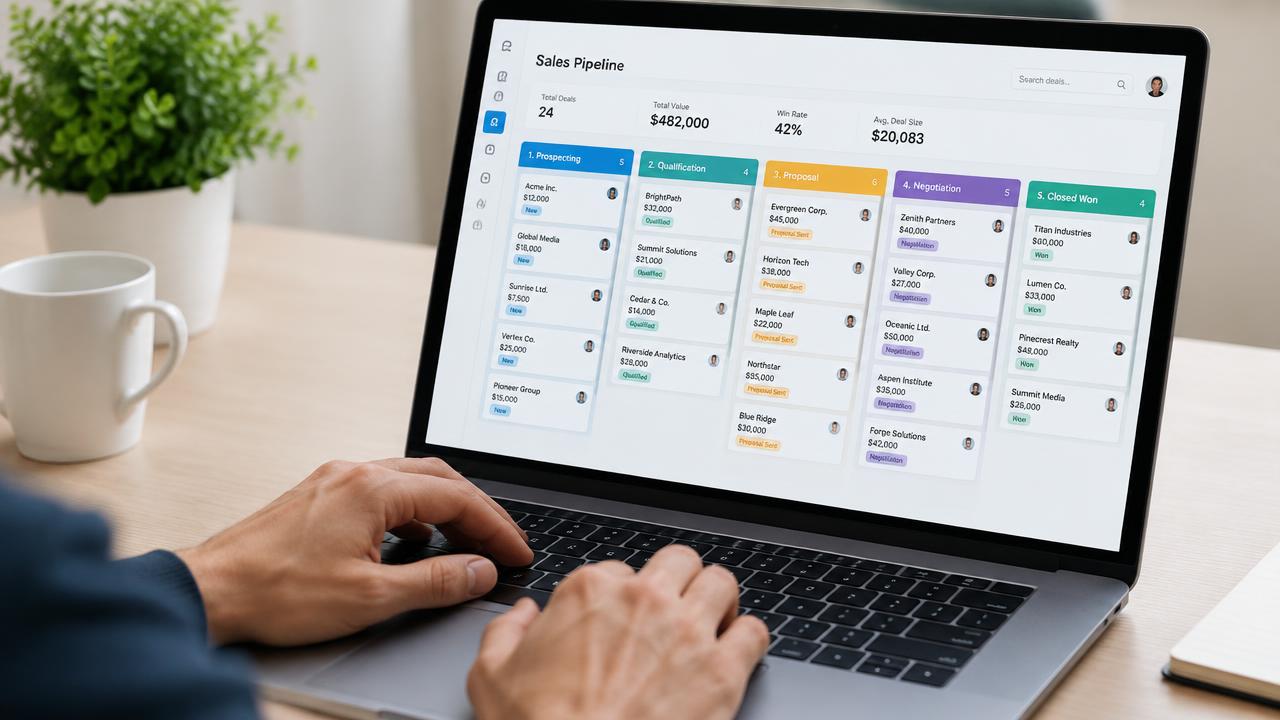
Small businesses rarely fail to buy a CRM because of budget. They fail because they buy for the company they hope to become instead of the one that exists on Monday morning. A five-person team with no sales operations person does not need territory management or approval chains. It needs contacts that stay organized, follow-ups that do not slip, and a pipeline everyone can read at a glance.
Below is a practical way to choose, followed by a qualitative comparison of five widely considered options: HubSpot, Zoho CRM, Pipedrive, Freshsales, and Salesforce Starter. Vendors change plans and prices frequently, so this article deliberately avoids quoting numbers. Check each vendor’s current pricing page before deciding.
Start with a needs worksheet
Before opening any vendor site, spend thirty minutes answering these questions with your team. The answers will eliminate half the market.
- How many people will log in during the first year, and how many might join in the second?
- Do you sell through a pipeline of discrete deals, or through repeat orders and subscriptions?
- Is email marketing part of the plan, or only sales tracking?
- Which tools must connect: Gmail or Outlook, QuickBooks or another accounting package, your website forms, a phone system?
- Who will administer the system, and how many hours a week can they give it?
- Do you work mostly in an office, or do reps need to log calls from a truck or a client site?
Separate must-haves from nice-to-haves
Must-haves are the items you would not run the business without: contact records, a visual pipeline, email sync, task reminders, and basic reports. Nice-to-haves include advanced forecasting, quote generation, and AI summaries. Vendors push the second list hardest because it is how they justify higher tiers.
The five contenders, described qualitatively
HubSpot CRM
HubSpot is known for an approachable interface and a free entry point that makes it easy to start. Its strength is that marketing, sales, and service tools share one platform, so a growing company can add email campaigns, forms, and a help desk without changing systems. The tradeoff is that costs can climb as you add paid hubs, contact volume, and seats. It suits businesses that expect to invest in inbound marketing and want everything under one roof.
Zoho CRM
Zoho offers a broad feature set at a generally modest cost, along with a wide family of related business apps for accounting, support, and projects. It is highly configurable, which is a benefit for companies with unusual processes and a drawback for teams that want simplicity out of the box. Expect to spend more setup time than with the most streamlined tools. It tends to appeal to cost-conscious buyers who like having options.
Pipedrive
Pipedrive is built around the visual sales pipeline and is often praised for being easy to learn. Its focus is helping salespeople see which deals need attention next. Marketing capabilities are lighter than at platforms that began as marketing suites, though add-ons exist. It is a strong fit for small sales teams whose main need is disciplined deal tracking.
Freshsales
Freshsales, from Freshworks, combines sales tracking with built-in phone, email, and lead scoring features, and it connects naturally to the company’s customer support products. The interface is clean, and it often attracts businesses that want calling and email inside the CRM without extra tools. Review which capabilities sit in higher plans.
Salesforce Starter
Salesforce Starter is a simplified, lower-complexity offering from the best-known enterprise vendor. Its draw is a clear upgrade path: if the business grows, moving into more advanced Salesforce editions is easier than switching vendors. The consideration is that the broader ecosystem can bring complexity and cost as needs expand, so be realistic about what you will use.
AD SLOT
Side-by-side comparison
The table summarizes general positioning. It is a starting point for your own trial, not a verdict.
| CRM | Best known for | Good fit when | Watch out for |
|---|---|---|---|
| — | — | — | — |
| HubSpot | Unified marketing, sales, and service | You plan inbound marketing | Costs rising with add-on hubs and contacts |
| Zoho CRM | Flexibility and breadth | You want customization on a tight budget | Longer setup and a busier interface |
| Pipedrive | Visual, simple pipeline | A small sales team needs focus | Lighter built-in marketing |
| Freshsales | Built-in calling and email | Reps live on the phone | Feature gaps between plan tiers |
| Salesforce Starter | Growth path into enterprise tools | You expect to scale significantly | Complexity and costs as you expand |
Understanding small business CRM pricing
Pricing models are similar across vendors: a monthly or annual per-user fee, tiered by capability. Annual billing is commonly discounted compared with month-to-month. Free plans exist but usually cap features, and the most useful automation often sits behind paid tiers. Since prices and plan names change, confirm details directly with each vendor and read the fine print on contact limits, storage, and add-on charges.
Hidden costs to ask about
- Onboarding or migration assistance, if you need it
- Paid integrations or connectors
- Extra fees for phone minutes or email sending
- Price increases at renewal
- The cost of upgrading when you outgrow a plan
Ask for the total expected annual cost for your team size and feature list in writing. That figure is the one to compare.
AD SLOT
Features that matter more than they look
Email and calendar sync
If reps must copy emails into the CRM by hand, they will stop within a month. Two-way sync with Gmail or Outlook is the single most important integration for adoption.
Mobile experience
Test the mobile app yourself. A beautiful desktop product with a clumsy phone app will frustrate any team that works away from a desk.
Import and export
Importing your existing spreadsheet should be painless, and exporting everything later should be possible. Data portability protects you from lock-in.
Sales automation that stays simple
Look for easy rules: assign leads, create follow-up tasks, and send template emails. You do not need a complex workflow builder in year one. Basic sales automation done consistently returns more than elaborate flows nobody maintains.
How to run a fair trial
Pick your top two or three. Import a real list of at least fifty contacts and a handful of live deals. Have the people who will use it daily work in it for two weeks, and ask them at the end which they would choose and why.
Score each system on a simple one-to-five scale for ease of use, fit with your process, integrations, reporting, and cost. Add up the numbers, but also listen to gut reactions. A tool that feels annoying in a trial will feel worse in month six.
Choose the CRM your slowest adopter can use without a manual.
Estimating return on investment
A small business should judge ROI in concrete terms. If you currently lose a few deals a quarter because nobody followed up, recovering even one has a dollar value you can compare to a year of subscription fees. Time saved on quoting, reporting, and searching for old emails is a second source. Be careful not to count the same benefit twice, and review the numbers after six months with real data.
Common mistakes
Buying for features rather than workflow is the most frequent error. The second is skipping data cleanup before import, which creates duplicates that erode trust. The third is not assigning an owner, so nobody trains new hires or retires unused fields. The fourth is customizing too early. Run the standard setup for a month, then adjust based on observed friction.
Match the subscription to your revenue model
A six-person consulting firm and a six-person wholesaler may need very different records. The consultancy sells projects with several decision makers; the wholesaler handles repeat orders against existing accounts. Before comparing vendors, describe one ordinary transaction and one awkward exception. Ask whether each can be represented without creating a spreadsheet alongside the CRM.
Three small-business scenarios to test
- Project services: Link several contacts to one engagement, track the proposed scope, and hand the signed agreement to the delivery lead. Check whether delivery colleagues need full sales licenses just to read that handoff.
- Recurring services: Record the renewal date separately from the original sale. Confirm that the account owner can see contract changes without counting the same subscription as new revenue every month.
- Product distribution: Open an account with multiple shipping locations and repeat purchases. Establish whether order details belong in the CRM or should remain in the inventory system with a reliable link.
Reject workarounds that distort your business. Creating a new company record for every office, for example, may make imports easy while hiding the total relationship. Ask the vendor to demonstrate the account hierarchy your team actually needs at the quoted subscription tier.
Check the contract against a realistic growth scenario
Build a small purchasing worksheet with three columns: today’s requirements, the next likely expansion, and the cost of leaving. This exposes pricing thresholds that a single monthly total conceals. Treat hypothetical volumes as planning inputs, not promises about how quickly the company will grow.
- Price the actual seat mix. Separate daily sellers, the owner, administrative staff, and occasional reviewers. Confirm which activities a limited-access user can perform rather than assuming that viewing a dashboard is free.
- Model a capacity change. Ask for a written quote covering more contacts, additional workflows, and the email volume you expect during a busy season. Establish whether crossing a limit upgrades one component or the entire account.
- Inspect renewal mechanics. Identify the notice deadline, payment schedule, seat-reduction rules, and treatment of promotional discounts. Put the cancellation deadline on a calendar controlled by the business, not an employee’s personal account.
- Test an exit. Export sample companies, contacts, deals, notes, and attachments. Open the files and check whether relationships and timestamps survive. An export button alone does not establish that the resulting data will be usable elsewhere.
Make the final decision auditable
Keep a one-page purchase record explaining the selected plan, rejected alternatives, unresolved limitations, and person responsible for administration. Include the vendor’s written answers about critical capabilities. This prevents a future employee from rebuilding the evaluation because nobody remembers why a particular compromise was accepted.
For the first renewal review, track three practical measures: weekly active sellers divided by expected sellers, overdue follow-ups divided by all due follow-ups, and time needed to produce the owner’s sales report. Define an active seller as someone completing meaningful work, such as recording a customer conversation, rather than merely signing in.
Interpret those measures together. Low activity may reflect a seasonal business, while persistent overdue tasks may indicate poor task design rather than unwilling employees. Interview the users before buying another feature. If reporting still requires substantial manual repair, inspect field definitions and integration gaps before upgrading the analytics package.
Frequently asked questions
Is a free CRM good enough for a small business?
Often, at the beginning. Free plans can handle contacts, deals, and basic tracking. Plan for paid upgrades if you need automation, advanced reporting, or higher contact volumes.
Which CRM is easiest to learn?
Ease is subjective, but tools centered on a visual pipeline generally have a gentler learning curve. Trial it with the least technical person on your team.
Should I choose an all-in-one platform or a simple CRM?
If you will actively run marketing campaigns, an all-in-one platform reduces integration headaches. If your need is mostly tracking deals, a simpler tool is cheaper and faster to adopt.
How many users do I need to pay for?
Anyone who creates or edits records usually needs a paid seat. Occasional viewers sometimes can be handled with cheaper or limited access, depending on the vendor.
When should I move to an enterprise CRM?
When you need complex permissions, multiple business units, deep customization, or governance that small-business tools cannot provide. Many companies never need to.
Conclusion: pick for Monday, plan for next year
No single product wins for every small business. HubSpot, Zoho, Pipedrive, Freshsales, and Salesforce Starter each suit a different temperament and growth path. Use your needs worksheet, confirm current pricing directly, and test with real work. Then commit, keep the setup simple, and revisit the decision once a year, not once a month.